Hello,
I have a strange representation of surfaces when using flat/smooth render for my model.
This is a model for the structural analysis of an awning.
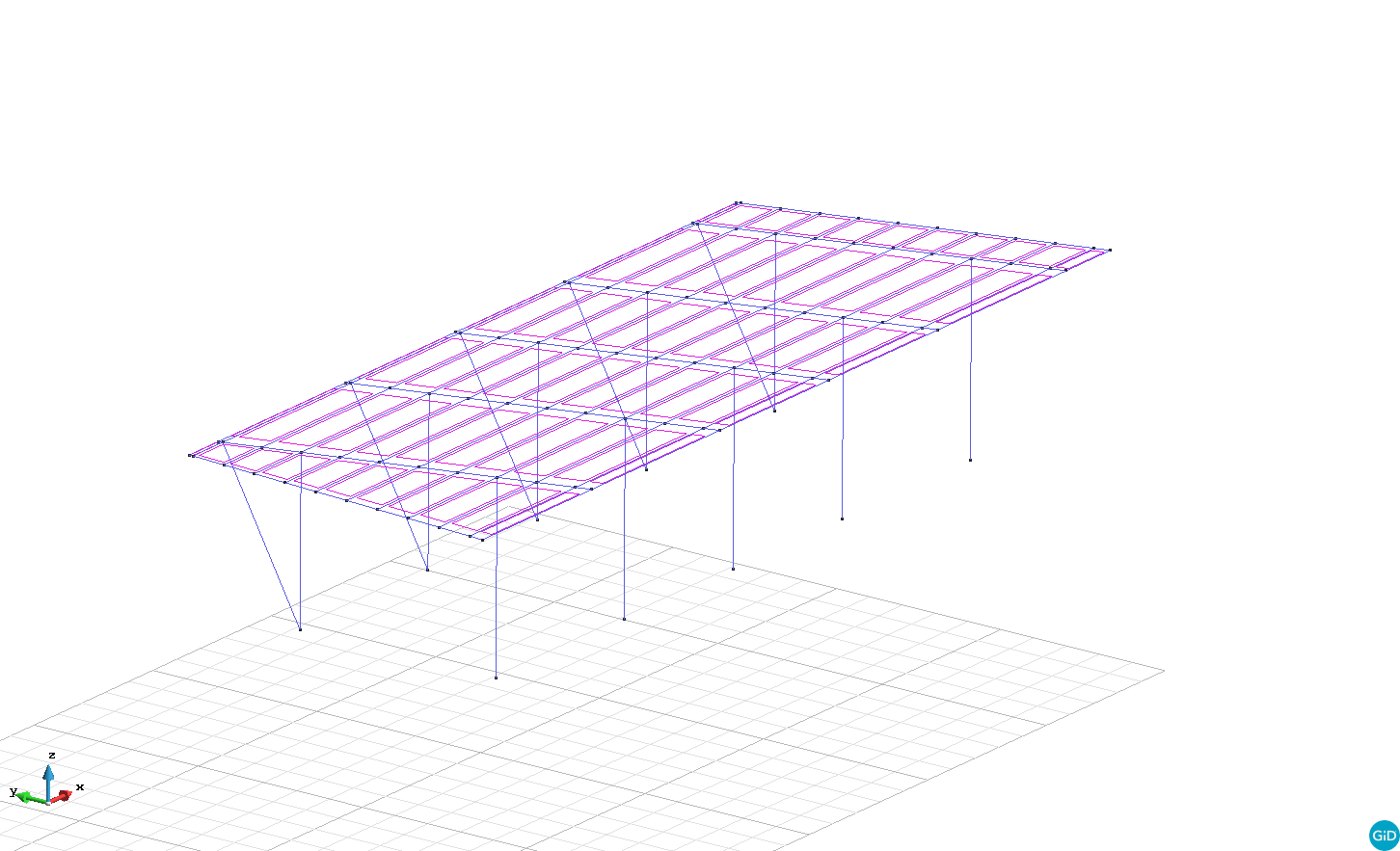
In attachments, there is a print screen with normal render ( normal-render.png)
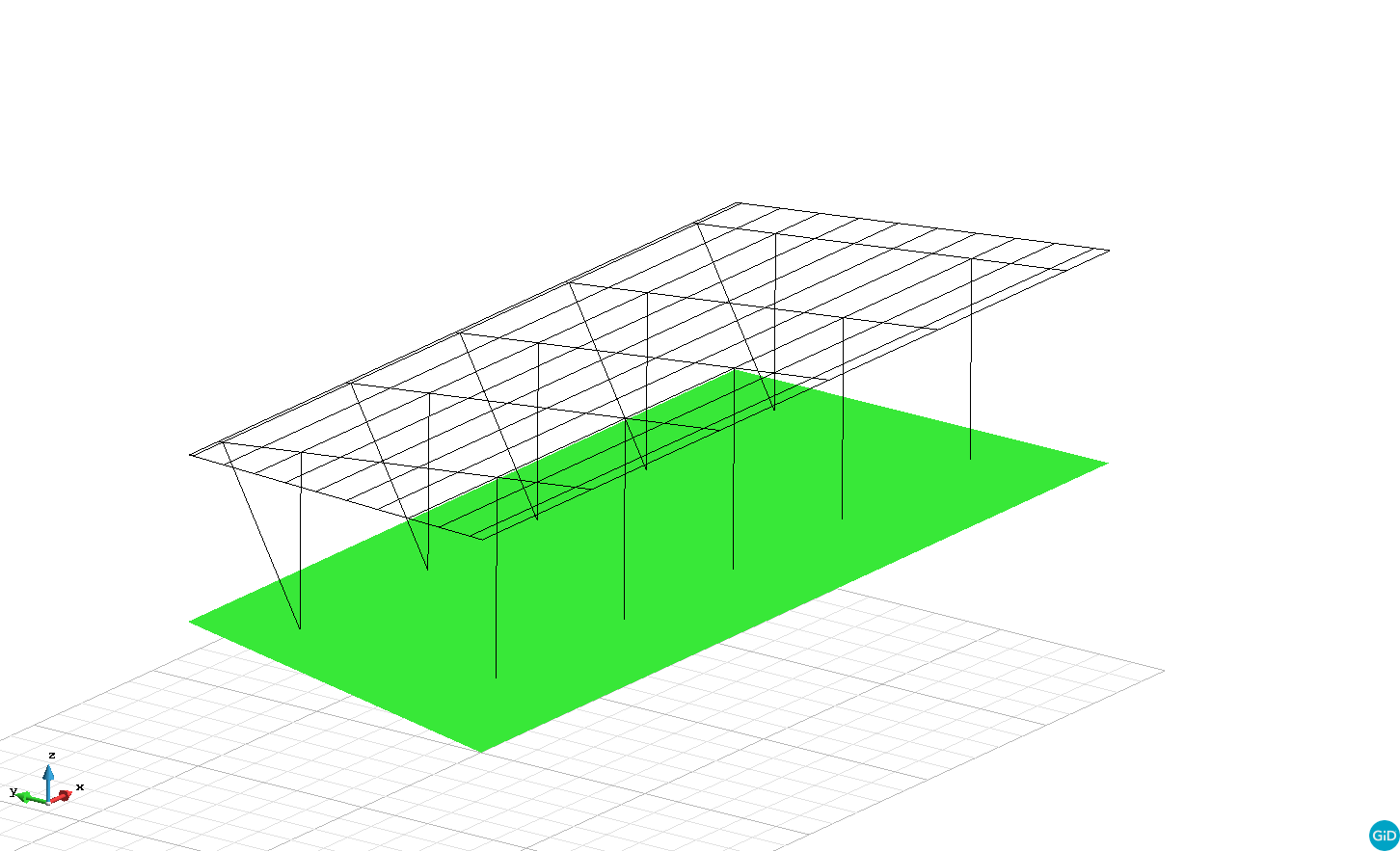
And a print screen with flat render (flat-render.png)
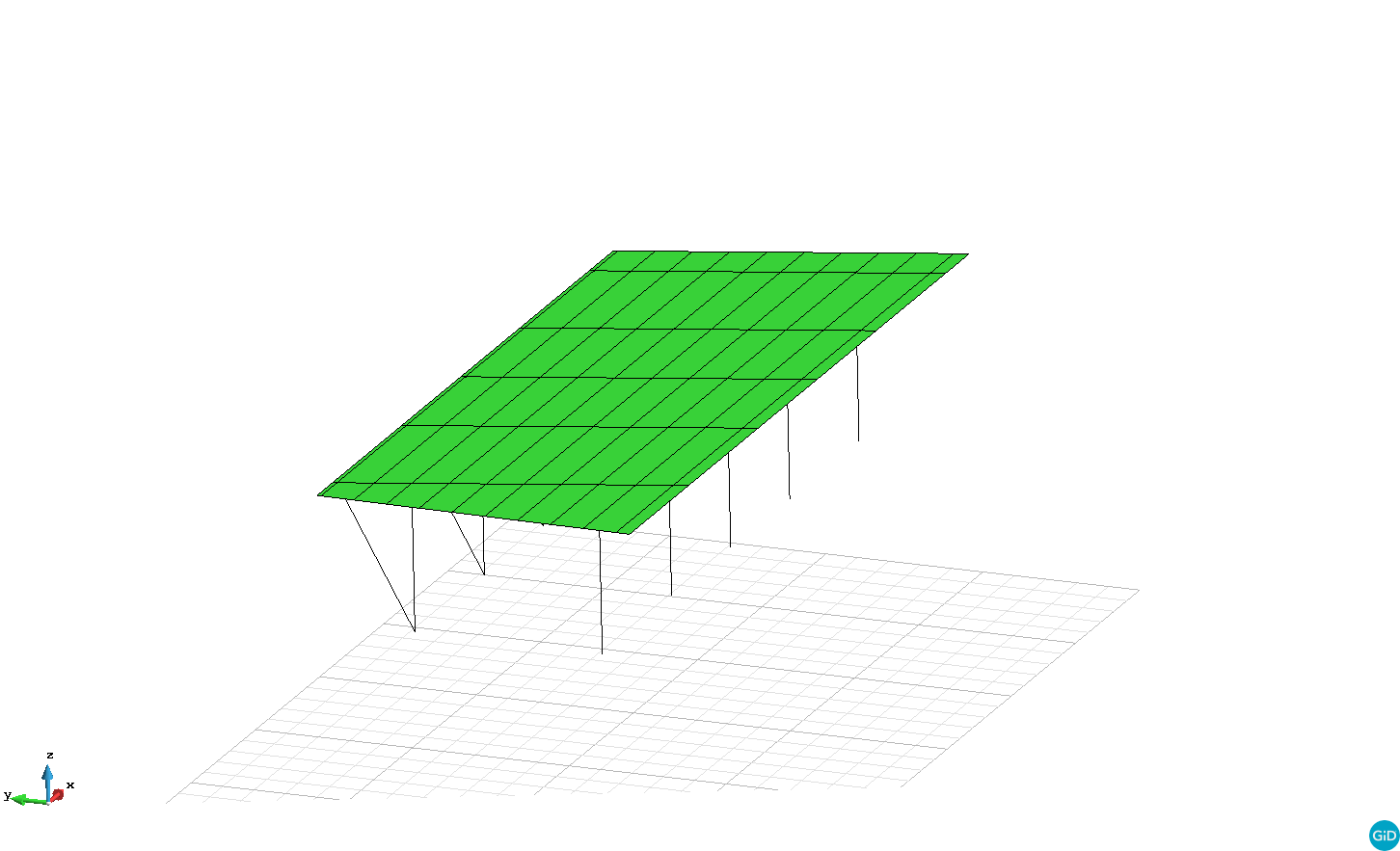
After rebuilding surfaces from boundary, everything come back as expected (flat-render-after-rebuild.png)
Why do I have this strange representation before rebuilding surface?
For creating the model, I have drawn lines and then I have created surfaces with the tool “Create NURBS surfaceâ€Â. Did I do something wrong?
- I also wanted to attach the .gid folder in the post but it doesn’t work … how can I forward it to you ?
Thanks for your time.
This could be because the orientation of some render normals or the surface definition is incoherent.
How has this model created?
e.g. interactively using which commands?, or imported from which format?
please, attach a zip with the original format, and/or the GiD model.
and what is the exact GiD version used?
Hi,
The model was created using classical Gid commands (“create line” and “create NURBS surface” from the "Geometry & view bar " toolbar).
I have attached a zip with the .gid folder.
We use the 14.0 version.
Thank you in advance for your support.
Model.zip (38 KB)
I recommend you to download the last available versions, current official nowadys is 14.0.4.
Maybe this bug has been fixed some versions ago.
http://www.gidhome.com/download/official-versions
or also can have fixed bugs and also new features in developer versions:
http://www.gidhome.com/download/developer-versions
The same password is valid for all 14.x versions