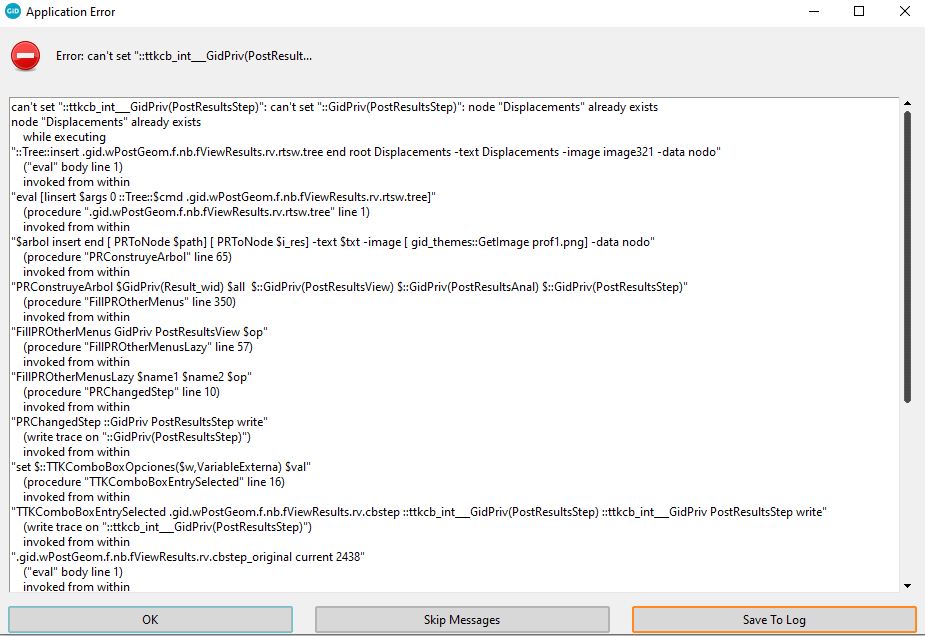
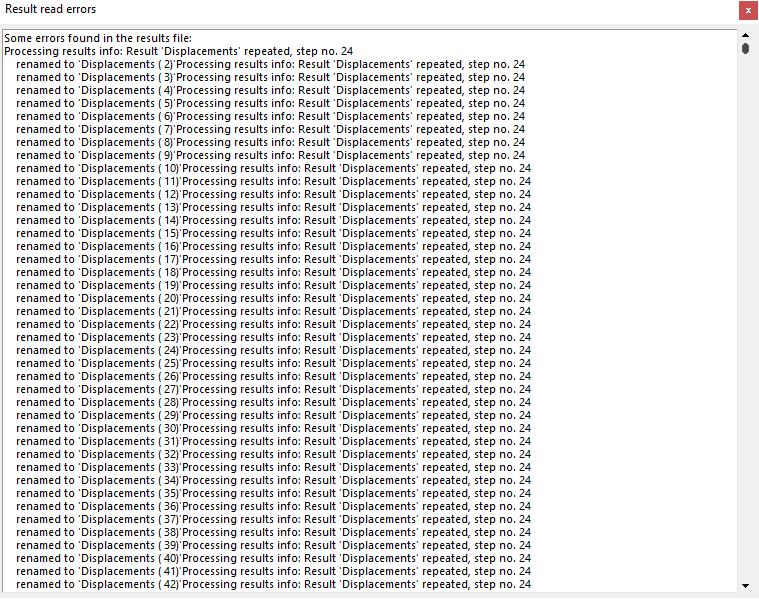
I am wondering is there any reference for errors in GiD?
Sometimes I face an error which I would like to know more about it.
Something like this :
can’t set “GidPriv(PostAnimateDeform)”: can’t use empty string as operand of “"
can’t use empty string as operand of "”
while executing
“expr $factor_base * $i * $f”
(procedure “AnimacionEstaticaCreaFactores” line 9)
invoked from within
“AnimacionEstaticaCreaFactores $::GidPriv(PostAnimate_cur_d_factor)”
(procedure “CambioPostAnimateDeform” line 17)
invoked from within
“CambioPostAnimateDeform GidPriv PostAnimateDeform write”
(write trace on “GidPriv(PostAnimateDeform)”)
invoked from within
".gid.wPostAnimate.f_opt.cb2 invoke "
invoked from within
".gid.wPostAnimate.f_opt.cb2 instate !disabled { .gid.wPostAnimate.f_opt.cb2 invoke } "
invoked from within
“.gid.wPostAnimate.f_opt.cb2 instate pressed { .gid.wPostAnimate.f_opt.cb2 state !pressed; .gid.wPostAnimate.f_opt.cb2 instate !disabled { .gid.wPostAn…”
(command bound to event)
What is the exact version of GiD? (see Help->About GiD…)
If it is not any of the last official or developer version try to download this version, maybe the bug has been fixed.
nowadays the current versiona are official: 13.0.1 and developer 13.1.4d
If the problem already happen in current versions, please attach a small example to this forum (or send it privately) and the instructions to repeat it.
Despite the fact that I can animate my result but it cannot be done using vector display! Contour fill works fine but not vector!
I am animate my result without any problem using contour fill, but when I change it to vector, it does not animate any more and returns an error.
This is the error I am getting !
can’t read “::GidPriv(PostAnimateDisplayVectors)”: no such element in array
variable ‘PostUpdateWindows’ not found
while executing
“error [_ “variable ‘%s’ not found” $name]”
(procedure “::GidPrivVariables::Get” line 5)
invoked from within
“::GidPrivVariables::Get PostUpdateWindows”
invoked from within
“GiD_Process Mescape Results $cur_resv $cur_res $cur_comp $::GidPriv(PostAnimateDisplayVectors)”
(procedure “PostAnimateFrame” line 330)
invoked from within
“PostAnimateFrame 0”
(“after” script)
By ‘latest version’ do you mean the 13.0.1 official or the 13.1.4d developer?
please, could you attach a zip with a small example to repeat it?
and what to do exactly.
Sorry for my late reply. It is the official one.
I am attaching a model to this reply. You may unzip the file to open it in the file in GID.
The error occurs when I am doing the post processing. My ultimate goal is to have a colored vectored animation.
Please go to the post processing mode, and choose velocity as the “deformation”. I would like to see the velocity vector but it looks so solid and it is not very beautiful. So, I want to add colored contours to them so that they look better. But, it is not possible.
On the other hand, if I want to have animation for vectored velocity, it returns an error that you will see if you try what I have said.
Please let me know if you have any question. model.gid.7z (444 KB)
The problem is a Tcl bug in the animation window of GiD caused by the use of spaces in the result name “a. Nodal Velocity”
In fact the problem happen because there are more than one consecutive spaces (there are two spaces between the ‘.’ and the ‘N’)
with a single space “a. Nodal Velocity”, or without spaces a._Nodal_Velocity the bug doesn’t affect.
This bug has been fixed for next GiD 13.0.4 official and 13.1.9d developer (when available)
To fix it you can simply edit the file scripts/PostAnimate.tcl
and replace
set GidPriv(PostAnimate_cur_res) [ join [GiD_Info postprocess get cur_result]]
set GidPriv(PostAnimate_cur_comp) [ join [GiD_Info postprocess get cur_component]]
by
set GidPriv(PostAnimate_cur_res) [GiD_Info postprocess get cur_result]
set GidPriv(PostAnimate_cur_comp) [GiD_Info postprocess get cur_component]
(or modify the .post.res using a not problematic result name)